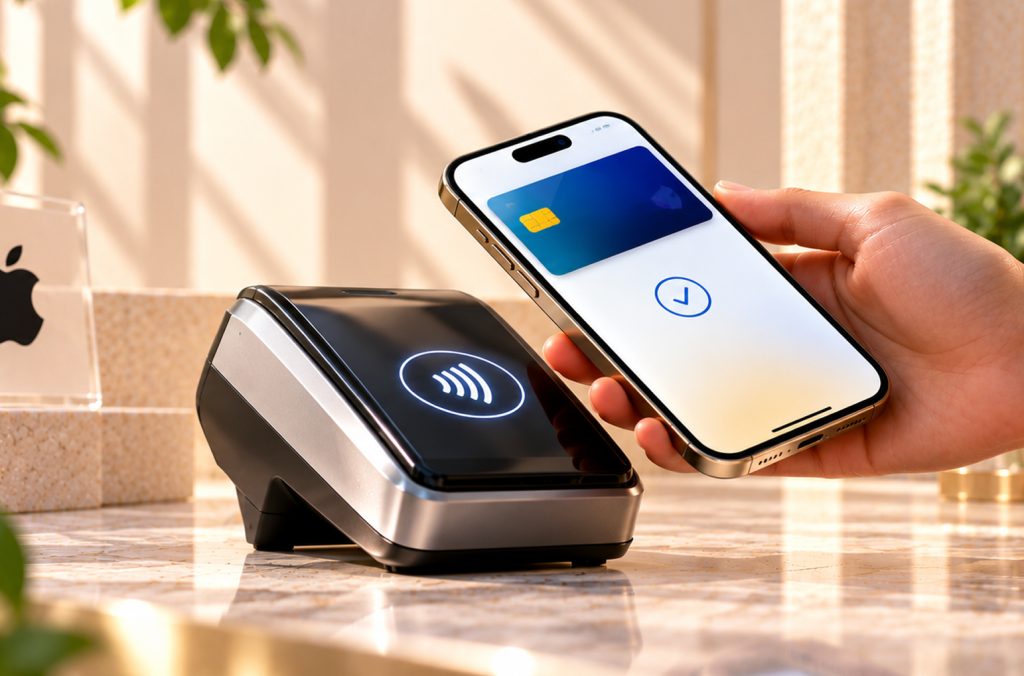
We’ve all been there. You’re at the counter, the cashier is waiting, the queue behind you is getting restless, and the OTP you need still hasn’t shown up. Apple Pay India launched on 30 September 2026, and the pitch is pretty simple: pay without typing a PIN or waiting on an OTP. Right now it only works with Axis Bank credit cards, so if you’ve got one in your wallet or still haven’t figured out which one to go with, here is a full lineup of Axis Bank credit cards. Apple’s own launch announcement has the official details if you want to read them first.
Of course, a launch like this raises a few questions. Who can actually use it? Does it work on Android? Do your reward points survive the switch? Let’s go through what’s confirmed so far.
What Apple Pay India Is (and Isn’t)
Apple Pay is the payment wallet built into Apple devices. In India, it runs on iPhone, iPad, and Apple Watch, and Apple says Mac support is coming soon. For the iPhone, you’ll need an XR or newer on iOS 18 or later. For the Watch, a Series 6 or newer on watchOS 11, paired with a compatible iPhone.
And since people keep asking about Apple Pay for Android, the short answer is no. It’s an Apple device thing only, so Android users will have to stick with whatever tap-to-pay option their own phone already has.
Setting Up Your Apple Pay Wallet
You’ve got two ways in. The easy one is the latest Axis Bank app, which lets you push a card straight into your Apple Pay wallet. Or you can open Wallet on your iPhone, tap the plus sign, and follow the prompts for an eligible card. After that, you can start paying straight away.
In a store, contactless payment goes like this: double-click the side button, confirm with Face ID, Touch ID, or your passcode, and hold the top of your iPhone (or your Apple Watch) near the reader. Online or in an app, you skip account creation and retyping card details altogether, which, let’s be honest, is where plenty of people abandon their carts.
What Actually Changes at Checkout
This is easier to see than to explain.
| Before | With Apple Pay | |
| In store | Pull out the card, insert or tap, punch in a PIN, and wait. | Double-click, look at your phone, and tap the reader. |
| Online | Type the card number, expiry, and CVV; wait for an OTP; flip through your messages; copy it over; and pray the page doesn’t time out. | Choose Apple Pay, authenticate, done |
I don’t think this is just about saving a few seconds. Every extra step at checkout is a chance to fat-finger a digit, lose network, or give up halfway and close the tab. Cut the PIN and the OTP, and you’ve cut the two steps that trip people up most.
So How Is It Safe Without an OTP or PIN?
Fair thing to wonder. But Apple Pay doesn’t skip security; it just parks it somewhere else. Your real card number never lands on the phone or on Apple’s servers, and the merchant doesn’t get to see it either. What the phone holds instead is a Device Account Number, unique to your device, encrypted and tucked inside a certified chip called the Secure Element.
Visa and Mastercard both rely on tokenization to make this work. Every payment goes out with a one-time cryptographic token, so even when you’re tapping at a reader, those NFC transactions only ever pass the token along. The shop never gets your actual card details. Apple also says it doesn’t keep transaction data that can be traced back to you. And if your phone ever goes missing, Find My lets you track it down, lock it, or suspend payments.
So rather than typing something you know, you’re showing something you are (your face or fingerprint) on a device that has to be physically in your hand.
Contactless Payment and NFC Transactions: Where Can You Use It?
Apple Pay works over NFC, so you can use it at thousands of stores and online merchants across India and anywhere else that accepts NFC transactions. Apple named a few launch partners: Apple Store, Blinkit, Chaayos, Comet, Croma, Interflora, Ixigo, Le15 Patisserie, Reliance brands, Tata 1mg, and Zomato.
If most of your taps go on food orders and coffee runs, have a look at CCB’s dining credit cards to see which cards pay you back the most at places like these. Behind the scenes, Apple teamed up with payment providers like BillDesk, Cashfree, Juspay, Mswipe, Paytm, PayU, Pine Labs, and Razorpay, so expect the merchant list to keep growing.
| What you need | Requirement |
| iPhone | XR or later, iOS 18 or newer |
| Apple Watch | Series 6 or later, watchOS 11 or newer |
| Cards at launch | Axis Bank Visa and Mastercard credit cards |
| Coming soon | Mac |
Will You Still Earn Rewards?
According to Apple, yes. The rewards and benefits your card already gives you carry over, and tapping doesn’t touch your earn rate. What it does change is how painless spending feels, and that’s usually when you should sanity-check your numbers. Run your monthly spend through CCB’s reward points calculator and see what your card really pays back. If the result is underwhelming, the rewards credit cards is a decent place to look next.
What It Means If You Hold Credit Cards
Cards used to be judged mostly on reward rates. Now it also counts how well a card behaves wherever you actually pay, and Apple Pay India adds one more test: does the card sit comfortably in the Apple Pay wallet on the phone you carry everywhere? Every smooth contactless payment makes that question matter a bit more.
For Axis customers, that’s a small but genuine perk. For everyone else, it’s a sign of where things are heading. Other banks will probably want a spot in the same wallet eventually, but Apple hasn’t named any yet, so I’d wait for actual news rather than guess.
Who Can Use It Today
For now, Apple Pay India is only open to Axis Bank Visa and Mastercard credit card holders. If your card is from another bank, don’t count on it working yet, and keep an eye out for updates. Haven’t picked an Axis card? The Axis Magnus breakdown covers the premium end of their lineup. And if you’re on Android, don’t hold out for an Apple Pay for Android version from this launch, because it’s built for Apple devices only.
Before You Tap
Update your iPhone to iOS 18 or later, add your card in the Axis Bank app, and confirm it’s eligible. Turn on Find My as well, so you can lock a lost phone quickly. Once your first statement lands, make sure your rewards are posted the way you expected. If anything changes down the line, Apple’s Apple Pay portal keeps the latest feature details.
Frequently Asked Questions
Yes. Apple Pay went live in India on 30 September 2026 for iPhone, iPad and Apple Watch. Mac support is listed as coming soon, so if you’re a Mac user, you’ll need to wait a little longer before it shows up there.
At launch, only Axis Bank Visa and Mastercard credit cards can be added. Apple hasn’t named any other banks yet, so if your card is from a different issuer, it’s worth checking back for updates before you try adding it.
No. Apple Pay is built for Apple devices only, which means iPhone, iPad and Apple Watch for now. If you use an Android phone, you’ll need to stick with the tap to pay option your own phone already offers.
No. At checkout you confirm with Face ID, Touch ID or your device passcode, so there’s no PIN to punch in and no OTP to wait for. The security still happens, it just moves from something you type to something that’s tied to you and your device.
Any iPhone XR or later running iOS 18 or newer. If you’re using an Apple Watch, you’ll need a Series 6 or later on watchOS 11 or newer, paired with a compatible iPhone.